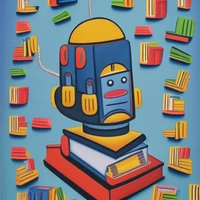
Instructions to use sd-concepts-library/buhu-art-style with libraries, inference providers, notebooks, and local apps. Follow these links to get started.
- Libraries
- Diffusers
How to use sd-concepts-library/buhu-art-style with Diffusers:
pip install -U diffusers transformers accelerate
import torch from diffusers import DiffusionPipeline # switch to "mps" for apple devices pipe = DiffusionPipeline.from_pretrained("fill-in-base-model", dtype=torch.bfloat16, device_map="cuda") pipe.load_textual_inversion("sd-concepts-library/buhu-art-style") - Notebooks
- Google Colab
- Kaggle
- Local Apps
- Draw Things
- DiffusionBee
sd-concepts-library-buhu-art-style
This repository contains a training script that fetches the list of artwork produced by\ Bruce and a Stable Diffusion pipe that generates images using the model, under the instruction of Stable Diffusion concepts library.

Usage
- Open Stable Diffusion usage pipe in Colab. Edit your prompt with tag <buhu> at the end of the file.
- Load pre-trainned model.
- (Optional) If you want to train the model by yourself, use the Model Trainer.

Example
- Downloads last month
- 4


