
Spaces:
Running


title: ReubenOS
emoji: 🖥️
colorFrom: red
colorTo: yellow
sdk: docker
app_port: 7860
pinned: true
license: apache-2.0
short_description: Connect Claude dekstop to Reuben OS via MCP
tags:
  - building-mcp-track-creative
  - mcp
  - flutter
  - llm
  - nextjs
  - ElevenLabs
Welcome to Reuben OS! 🎉
About Reuben OS
Reuben OS is a powerful cloud-based operating system that integrates seamlessly with Claude AI, providing an innovative platform for file management, quiz creation, audio generation, and much more. It's designed to make your AI interactions more productive and organized.
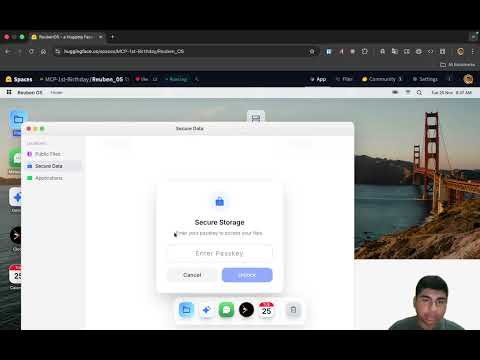
YouTube Demo
Twitter Post
Features 🚀
File Management
- Secure Storage: Save files with passkey protection
- Public Folder: Share files with everyone
- Multiple File Types: Support for code files, documents, JSON, and more
Quiz System
- Interactive Quizzes: Create multiple-choice quizzes
- Auto-Grading: Automatic analysis and feedback
- Time Limits: Set custom time limits for challenges
Audio Generation
- Song Creation: Generate AI songs with lyrics and music (via ElevenLabs)
- Story Narration: Convert text to natural-sounding voice
- Voice Studio: Listen to all your audio creations
Flutter IDE
- Execute App: Modern Flutter-based IDE to execute flutter code
- File Listing: View all your flutter files at a glance
Gemini
- GEMINI APP: Communicate with google gemini Model inside Reuben OS
Messages
- Global Chat: Communicate with everyone using the Reuben OS
Installation 📥
Quick Install (Global)
Install Reuben OS MCP Server globally using npm:
npm install -g reuben-os-mcp
Claude Desktop Configuration ⚙️
Add the following configuration to your Claude Desktop config file:
For macOS/Linux
Edit ~/Library/Application Support/Claude/claude_desktop_config.json:
For Windows
Edit %APPDATA%/Claude/claude_desktop_config.json:
and add the following
{
  "mcpServers": {
    "reuben-os": {
      "command": "reuben-os-mcp",
      "args": []
    }
  }
}
Usage Examples 💡
Flutter
"write flutter hello world code to Reuben OS with passkey 'mypass'"
Create a Quiz
"Create a quiz on Python basics and deploy it to Reuben OS with passkey: hugging"
Generate Audio
"Generate a song about mountains in j-pop style"
List Files
"Show me all my files in Reuben OS"
Security 🔒
- Passkey Protection: Secure your files with custom passkeys (minimum 4 characters)
- Public/Private Folders: Choose between public sharing or private storage
📝 License
Apache License 2.0 - Free to distribute and use make sure to give me credits if you use it in your project
Made with ❤️ for the AI community
This project is optimized for Hugging Face Spaces deployment, making AI-powered file management accessible to everyone!